When localhost isn't enough, but hosting is too much
· serve editorial
You're on a call, the link works, and then you close the laptop. A few minutes later it's dead, because the URL was never a website: it was a window into your machine. This piece walks through why tunnels alone can't fix that, and how one link can be live while the work is running and published once it's finished, with the agent making the call.
You're on a call with a client. The agent just said done. You send them a link to the thing running on your laptop. They open it. It works. You change something while they watch, they refresh, they see it.
The call ends. You close the laptop.
A few minutes later, they open the link again. Nothing.
This is one of the strange things about sharing something from localhost. The URL looks like a normal web address. It isn't one, really. It's a window into a machine that has to stay awake and connected, and closing the laptop shuts the window.
That's fine when the thing you're sharing genuinely needs to run. It's a real problem when what you wanted to share was the finished work.
Why tunnels aren't the whole answer
A tunnel is the right tool for a real category of work, and nothing here is an argument against it. If someone needs to interact with a running application, the application has to stay running. A dev server, a websocket, a webhook receiver, an OAuth callback: those need a live machine behind the URL, and a tunnel is how you provide one without touching router settings.
But not everything you share from your laptop needs to keep running. A finished build, a report, a folder of files: for those, the default answer most tools give is to push the work somewhere else entirely, on a different host and a different URL, and throw the localhost link away.
So the link dies with the laptop not because anyone chose that, but because live was the only mode anyone was handed.
The first question is whether anything needs to keep running
The useful question isn't whether you're sharing localhost. It's what you're actually sharing.
If someone needs to interact with a running application, the application has to stay running. If you're showing them a finished build, a report, or a collection of files, there's no reason their browser should depend on your laptop being awake.
A Vite dev server is a process. The output of npm run build is an artifact. A FastAPI app is a process. The PDF the agent just wrote is an artifact. A webhook receiver is a process, even when it looks like a page in the browser.
Not sure which one you have? Ask the agent. It built the thing; it knows.
Sometimes you don't need a tunnel at all
A finished artifact doesn't need your machine. It can live as a copy on storage somewhere, and the browser reading it never has to know where your laptop is, or whether it's awake.
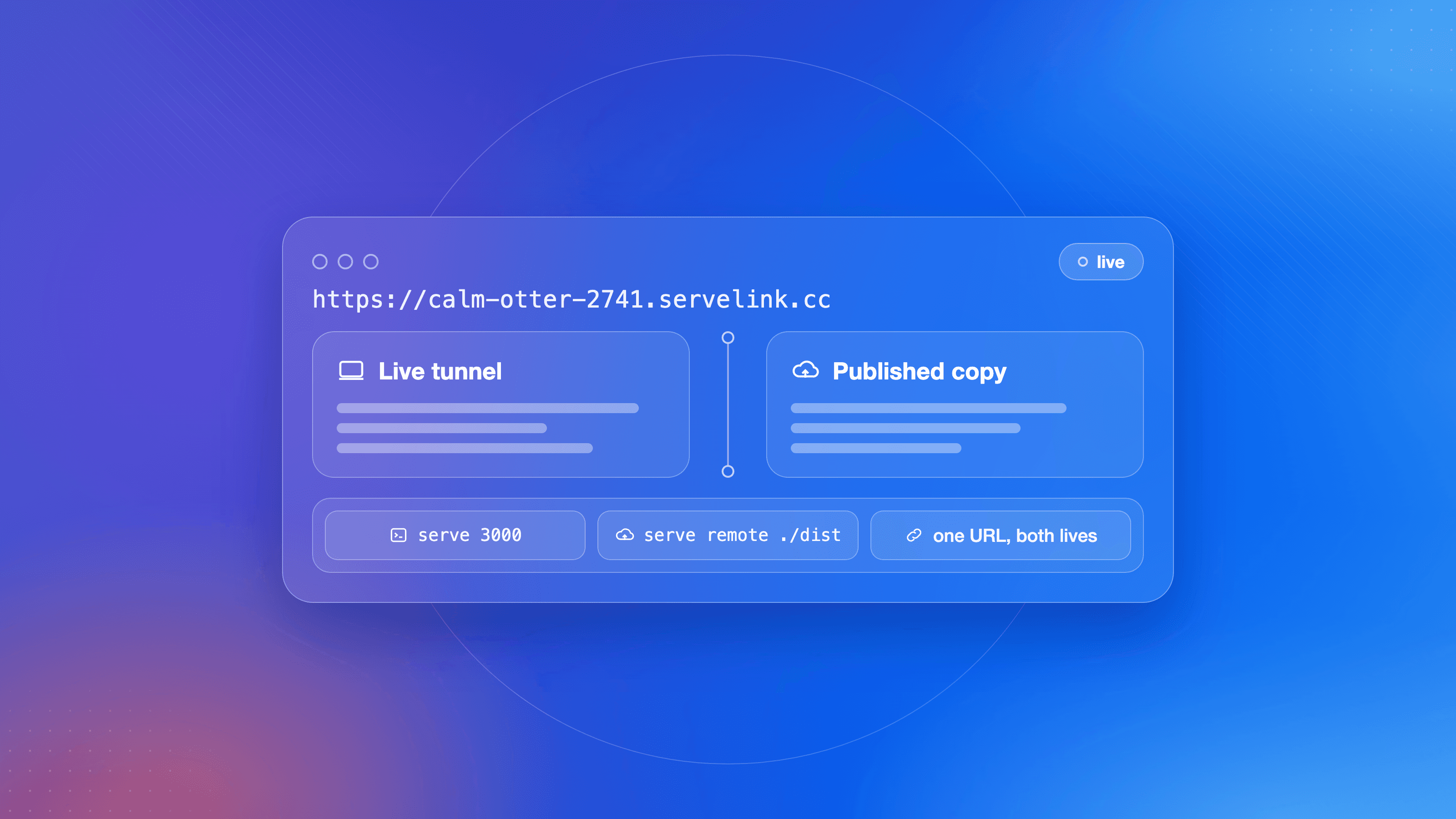
That's the second mode. Serve treats the two as states of one link: the link can point at your machine, where a running process handles each request, or at a copy of your finished files served remotely.
The useful part: the URL doesn't have to change
Here's where the distinction becomes useful. Start with a local application:
$ serve 3000
serve: live public link (residency local; it reflects this machine and goes
quiet when the machine does; `serve remote` publishes a durable copy)
https://calm-otter-2741.servelink.cc
The URL is live. It reflects what's happening on the laptop, websockets included.
Now suppose the client doesn't need the development server anymore. There's a finished build sitting in ./dist.
$ serve remote ./dist
Published: https://calm-otter-2741.servelink.cc
Label:     calm-otter-2741
Note: a live tunnel on this link was closed by the publish.
The URL hasn't changed.
What's changed is what's behind it. The first request went through your laptop. The second is served from the published copy, and the laptop can be closed.
That's the basic idea behind Serve: the link can move from something that's running here to something that's published elsewhere without making the URL part of the workflow. One link, for the whole life of the work. It starts live because the work is live. It becomes published when the work is finished.
The two modes have different rules
The asymmetry is deliberate.
Publishing over a live link is straightforward. The published copy takes over and the tunnel closes.
Going back the other way is different. A published artifact already exists at that URL, so Serve requires an explicit replacement before deleting it. Nothing flips silently in either direction.
There's no automatic failover either. If your laptop goes to sleep, Serve doesn't quietly swap your link to some old published copy of the site. Your URL means what you last made it mean.
The split matters for agents too. A hosted agent, one running in someone else's cloud with no access to your machine, can publish a finished artifact you hand it. It can't create a tunnel back to a process on your laptop. Live still requires the local machine, which is the honest cost of a live window: someone's machine has to actually be serving.
A few things to know before you use it
| What you do | What happens |
|---|---|
| The machine sleeps or loses Wi-Fi | The live link goes quiet. The URL stays yours. |
| You stop the Serve process | The tunnel ends. The label survives on your account, ready to rebind. |
| You publish over a live link | The tunnel closes, the copy takes over, and the CLI prints a note. |
| You want live back on a published link | Serve requires an explicit replacement, which deletes the published copy. |
| You start unnamed links again | Serve reuses your oldest stopped label instead of minting new ones. |
And one thing that isn't a gotcha: links are never recycled to someone else. Not at a cap, not on a plan change, not ever across accounts. Your stopped labels stay yours until you delete or overwrite them.
This isn't a replacement for hosting
Three boundaries, stated plainly.
If the thing needs a server after the laptop closes, a published copy won't save you. A copy can't run Express, hold a websocket, or take a webhook. That's real hosting. A published copy isn't a replacement for a server-side application.
If the job is a one-off look for twenty minutes, any quick tunnel is fine; cloudflared, for example, hands you a free throwaway URL with no account. For "can you look at this right now," that's a complete answer.
And a link can't be live and published at the same time. It's one or the other, and the agent chooses explicitly, every time. We could have made the switch automatic. We didn't. A URL should not silently change what it serves because something else happened in the background.
Frequently asked questions
Does the URL die when I stop the tunnel?
The tunnel dies. The URL stays yours. It becomes a stopped live link on your account, and you can rebind it whenever you like.
Can I go back to live on a published URL?
Yes. --replace deletes the published copy first, then allows the link to become live again.
Is this production hosting?
No. Published links serve static copies: HTML, assets, media. There's no cloud runtime, no database, no CI behind them. If your app needs a server at view time, keep it live or host it properly.
Will the agent switch modes for me?
No. The agent calls the mode explicitly, live or published. That's the design, not a limitation: the decision belongs in the conversation where the intent already is.
Start with the getting started guide: install and first link in under five minutes.